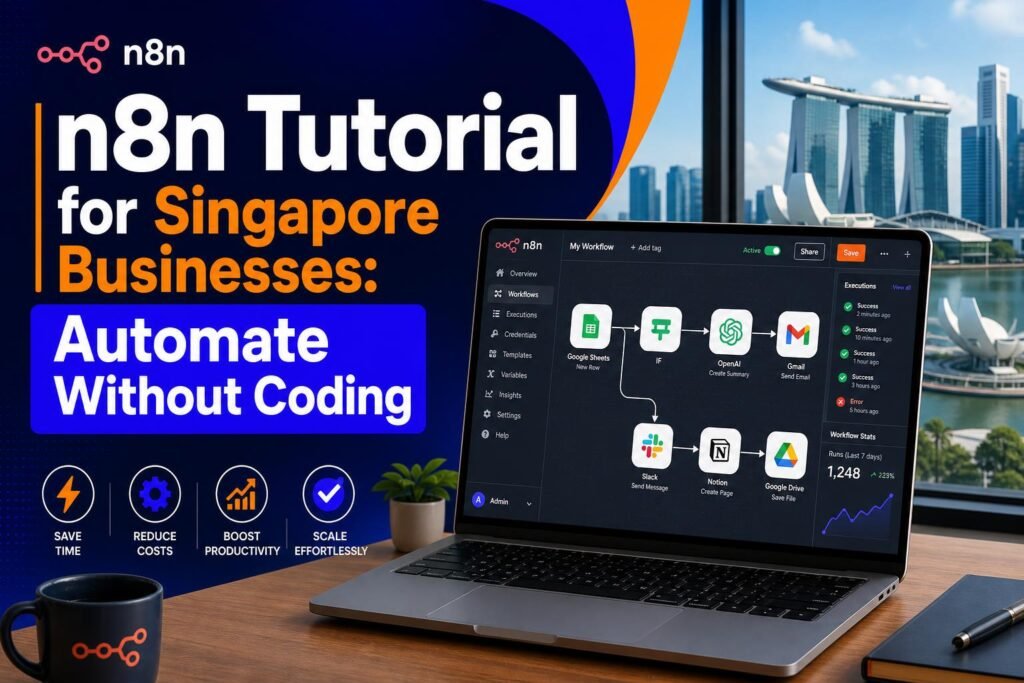
n8n Tutorial for Singapore Businesses: Automate Without Coding
Every Singapore business owner has tasks they do repeatedly every week that follow the same steps every time. Someone fills in a contact form on the website, so you add them to your email list, send them a welcome email, and create a reminder to follow up. A new invoice gets paid, so you update your spreadsheet, send a receipt, and file the document. A new blog post goes live, so you share it on Facebook, LinkedIn, and send a notification to your newsletter subscribers.
Each of these tasks is simple individually. But collectively they consume hours every week – time that could be spent on the work that actually grows your business. n8n is the tool that makes all of these tasks happen automatically, without you doing anything, and without paying for an expensive automation platform.
What is n8n and How is it Different from Zapier?
n8n (pronounced n-eight-n) is an open-source workflow automation tool. Like Zapier and Make (formerly Integromat), it lets you connect different apps and services together to create automated workflows. But n8n has two significant advantages over its competitors that make it particularly appealing for Singapore SMEs.
First, n8n is completely free if you self-host it. Zapier’s free plan is limited to 100 tasks per month with basic features. Anything beyond that requires a paid subscription starting at approximately $20 USD per month. n8n self-hosted has no task limits and no monthly fees. For a Singapore SME doing moderate automation, this difference can add up to hundreds of dollars saved annually.
Second, n8n is more powerful than Zapier for complex workflows. It has a visual workflow editor where you can see exactly how data flows from one step to the next, includes built-in code nodes for custom logic when you need it, and allows for much more sophisticated branching and conditional logic than Zapier’s free and lower-tier plans.
The trade-off is that n8n has a slightly steeper initial learning curve than Zapier. But the core concepts are straightforward and the time investment to learn the basics pays back quickly once your first automations are running.

Getting Started: Cloud vs Self-Hosted
You have two options for running n8n. The cloud version at n8n.io requires no technical setup – you create an account and start building workflows immediately. n8n offers a 14-day free trial on the cloud version. After the trial, the cloud version requires a paid subscription starting at $20 USD per month.
The self-hosted version is free indefinitely and is the option that Singapore SMEs on a budget should use for the long term. Self-hosting means running n8n on your own server. If this sounds technical, Hostinger – the same hosting provider used by agentsetupsg.com – offers one-click installation of n8n through their control panel. You can have n8n running on a Hostinger VPS in about 15 minutes with no command-line knowledge required.
For this tutorial, start with the cloud version’s free trial to learn how n8n works. Once you understand the basics, you can decide whether to subscribe to the cloud version or migrate to self-hosting.
Understanding n8n: Nodes, Triggers, and Workflows
Every n8n workflow consists of nodes connected together. Each node represents either a trigger (what starts the workflow) or an action (what the workflow does). Nodes can be apps like Gmail, Google Sheets, Telegram, Slack, or WhatsApp, or they can be built-in tools like HTTP requests, code blocks, or conditional logic checks.
A workflow always starts with a trigger node. This is the event that sets the automation in motion. Common triggers for Singapore businesses include: a new form submission on your website, a new row added to a Google Sheet, a new email received in Gmail, a scheduled time (like every Monday at 9am), or a webhook call from another service.
After the trigger, you chain together action nodes that each do something with the data. Send an email, add a row to a spreadsheet, post to Slack, create a calendar event, call an API – these are all examples of action nodes.
Your First Workflow: Contact Form to Email List
Here is a step-by-step walkthrough of building a practical automation that many Singapore businesses need: automatically adding contact form submissions to an email list and sending a welcome email.
Step 1: Log into n8n and click New Workflow. Give it a name like Contact Form to Beehiiv.
Step 2: Click the plus button to add your first node. Search for Webhook and select it. The webhook node will give you a URL that you can use as the destination for your contact form submissions. Copy this URL.
Step 3: In your WordPress contact form settings (WPForms in the case of agentsetupsg.com), add the webhook URL as a notification destination. Now when someone fills in your contact form, their information will be sent to n8n automatically.
Step 4: Add a second node – search for Beehiiv (or your email platform) and select the Add Subscriber action. Map the form fields to the subscriber fields: the Name field from the form goes to the Name field in Beehiiv, the Email field from the form goes to the Email field in Beehiiv.
Step 5: Test the workflow by submitting a test form. Check whether the test subscriber appears in your Beehiiv account. When it does, your automation is working.
Step 6: Activate the workflow by toggling it to Active. It will now run automatically whenever someone submits your contact form.
More Automation Ideas for Singapore SMEs
Blog post to social media: Every time you publish a new blog post on WordPress, n8n automatically shares it to your Facebook page, LinkedIn profile, and sends a notification to your Telegram channel. Setup time: about 45 minutes. Time saved: 20 minutes per blog post.
Invoice payment to receipt and filing: When a payment comes in through your payment processor, n8n sends the customer a receipt email, updates your Google Sheets revenue tracker, and sends you a Telegram notification. Setup time: about an hour. Time saved: 15 minutes per payment.
Scheduled weekly digest: Every Monday at 9am, n8n pulls the week’s new contacts from your CRM, compiles them into a summary, and sends it to your sales team Slack channel so everyone starts the week knowing who to follow up with.
Review monitoring: n8n checks for new Google reviews daily and sends you a WhatsApp or Telegram notification when a new review is posted, so you can respond within hours rather than discovering it days later.
n8n with AI: The Advanced Step
n8n has native integration with OpenAI’s ChatGPT API and Anthropic’s Claude API. This means you can build workflows where AI is part of the automation logic. For example: when a customer enquiry comes in through your contact form, n8n sends it to ChatGPT to classify whether it is a sales lead, a support issue, or a general enquiry, and then routes it to the appropriate team member. Or: when a new Google review comes in, n8n automatically generates a draft response using ChatGPT and sends it to you for approval before posting.
These AI-enhanced automations represent the next level of what n8n can do for Singapore businesses. They are more complex to set up but the payoff in time saved is proportionally larger. The n8n community forum and YouTube channel have extensive tutorials on building AI-powered workflows.
Related reading on Agent Setup SG
- AI Tools for Singapore Students: Study Smarter and Get Ahead in 2026
- How to Use AI for Your Singapore Hawker Business (Practical Guide)
FAQ: n8n Tutorial for Singapore Businesses: Automate Without Coding
Is this suitable for beginners in Singapore?
Yes. This guide is practical and beginner-friendly.
Do I need paid tools to start?
No. Start free, then upgrade only when results justify it.
How quickly can I implement this?
Most readers can complete initial setup in under one hour.
What should I track first?
Track one clear metric such as leads, time saved, or conversion rate.
What is the biggest mistake to avoid?
Skipping setup basics and not validating outcomes with real use cases.
Free resource for Singapore readers: Want to save time and money with AI starting today? Download the free Singapore AI Cheat Sheet, 10 prompts made for Singaporeans, plus a free 7-day email course delivered straight to your inbox. Grab it now at agentsetupsg.com/free instead.
Related resources
- Related guide: How to Automate Your Singapore Business Email Replies with AI
- Practical walkthrough: The PDPA-Safe AI Toolkit for Singapore Businesses
- Detailed breakdown: 100 Prompts for SG Home-Based F&B Businesses
- Product resource: 100 Prompts for SG Home-Based F&B Businesses
- Product resource: The PDPA-Safe AI Toolkit for Singapore Businesses