If your business or organisation uses Microsoft 365 – Word, Excel, PowerPoint, Teams, or Outlook – there is an AI assistant that is increasingly available directly inside all of these tools. It is called Microsoft Copilot, and it has the potential to significantly change how you work in Microsoft’s applications without requiring you to switch to any new tools or change any of your existing workflows.
Understanding what Copilot actually does, when it is genuinely useful, and what it costs is important for Singapore businesses making decisions about their technology investments. This guide covers all of it.
What is Microsoft Copilot?
Microsoft Copilot is Microsoft’s AI assistant, powered by OpenAI’s GPT-4 technology (the same underlying model as ChatGPT Plus), integrated directly into the Microsoft 365 application suite. Unlike ChatGPT, which is a separate application you use alongside your other tools, Copilot is embedded inside the applications you are already using.
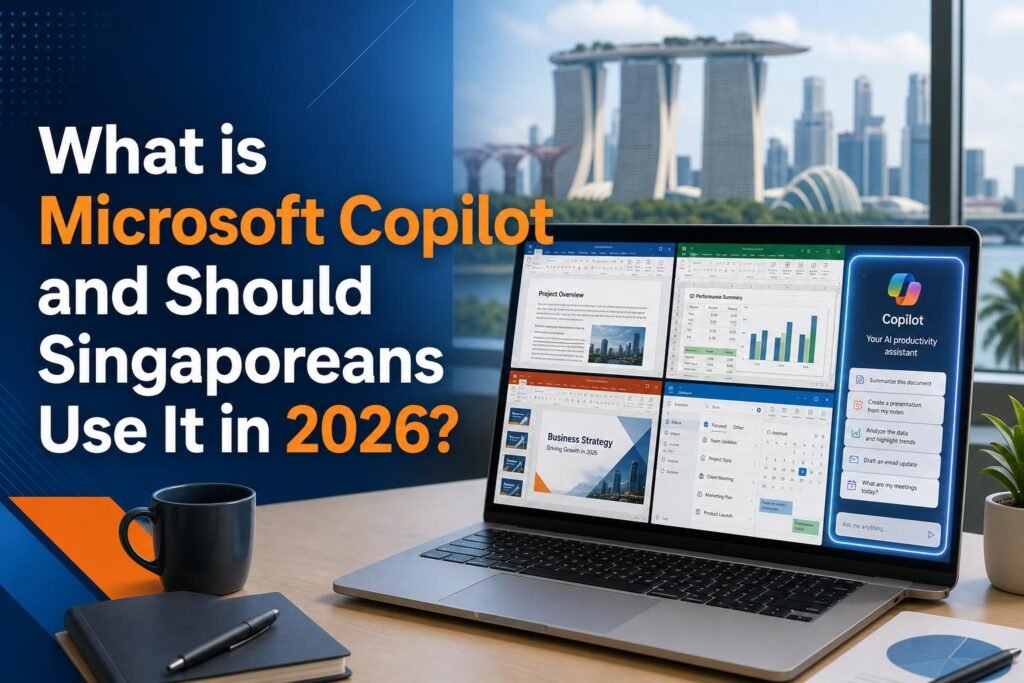
This integration is Copilot’s primary value proposition. When you are writing a document in Word, Copilot can help you draft, edit, and refine that document without you leaving Word. When you are in Excel looking at sales data, Copilot can analyse that data and answer questions about it in plain English. When you are in a Teams meeting, Copilot is taking notes. When you are in Outlook reading an email thread, Copilot can summarise it and suggest a response.
The seamlessness of this integration is genuinely valuable for Singapore professionals who spend the majority of their working day inside Microsoft applications. Instead of constantly switching between your work tools and a separate AI assistant, the AI is always there, already knowing the context of what you are working on.

What Copilot Can Do in Each Microsoft Application
In Microsoft Word: Copilot can draft documents from a brief prompt, rewrite sections in different tones, summarise long documents into concise summaries, suggest edits for clarity and conciseness, and explain complex sections in simpler language. For Singapore businesses that produce regular documents – reports, proposals, policy documents, meeting minutes – Copilot in Word can significantly reduce writing time.
In Microsoft Excel: This is where many Singapore business users will find the most immediate value. Copilot can analyse datasets in plain English conversation, generate formulas based on description rather than requiring formula syntax knowledge, create pivot tables and charts, identify trends and anomalies in data, and explain what the data means in business terms. For Singapore SME owners who use Excel but are not Excel experts, Copilot effectively gives you the analytical capability of someone who knows Excel deeply.
In Microsoft PowerPoint: Copilot can create presentation structures from a text brief, generate slides with content based on your outline, suggest speaker notes, and help you adapt presentations for different audiences. It can also summarise existing presentations into key points.
In Microsoft Outlook: Copilot can summarise long email threads so you can quickly understand the context of an ongoing conversation, draft email replies based on the thread context, suggest meeting times, and help you manage your inbox more efficiently.
In Microsoft Teams: This is one of Copilot’s most impressive applications. During Teams meetings, Copilot can generate real-time notes, summarise what has been discussed, answer questions about what was said earlier in the meeting, and produce action item lists automatically. For Singapore organisations with frequent Teams meetings, this eliminates manual note-taking and ensures nothing is missed.
Cost and Availability in Singapore
Microsoft Copilot comes in different tiers that can cause confusion. Here is the breakdown for Singapore users:
Copilot Free: Available at copilot.microsoft.com and built into Windows. This is a standalone AI assistant that functions like a ChatGPT alternative. It does not have the deep integration with Office applications that makes Copilot special. Useful as a general AI tool but not the transformative product that Copilot for Microsoft 365 is.
Copilot for Microsoft 365: This is the version with full application integration. It requires an existing Microsoft 365 subscription plus the Copilot add-on. For Singapore businesses, this typically costs approximately SGD 40 to 50 per user per month for the combined subscription. This is significantly more expensive than ChatGPT Plus at approximately SGD 27 per month, but for organisations already paying for Microsoft 365, the incremental cost is the Copilot add-on only.
Copilot in specific Microsoft 365 plans: Microsoft has been rolling out Copilot features into various Microsoft 365 plans at different price points. The exact features available depend on which Microsoft 365 plan your organisation has. Check your Microsoft 365 admin panel to see which Copilot features are currently available to you – some features may already be included without additional cost.
Is Microsoft Copilot Worth It for Singapore Businesses?
The honest answer depends on your specific situation. For organisations that are deeply embedded in Microsoft 365 and spend most of their working day in Word, Excel, Teams, and Outlook, Copilot for Microsoft 365 can be genuinely transformative. The integration advantage is real and the quality of the underlying AI is high.
For individual users or small businesses that primarily use Microsoft Office but do not have complex enterprise workflows, ChatGPT Plus at a lower price point combined with deliberately switching between ChatGPT and your Office applications may be more cost-effective.
The strongest use case for Copilot in a Singapore context is for organisations with significant Excel-based analysis, frequent Teams meetings, and high volumes of document and email production. Finance teams, consulting firms, legal practices, and corporate functions in larger organisations will see the clearest ROI.

How Copilot Compares to ChatGPT for Singapore Users
Both Copilot and ChatGPT use OpenAI’s underlying technology, so the raw AI capability is similar. The key difference is the integration. ChatGPT requires you to copy content from your work tools, paste it into ChatGPT, get a response, and paste the output back into your tools. Copilot eliminates these steps by being inside the tools.
For Singapore users who are not yet using any AI tools, starting with ChatGPT’s free plan gives you a taste of AI capability without any commitment. For organisations that are ready to invest in AI tools and are heavily Microsoft-oriented, evaluating Copilot for Microsoft 365 is worthwhile. Request a Microsoft Copilot trial from your Microsoft account manager – most Singapore organisations have a Microsoft partner or account manager who can arrange a trial period.
Related reading on Agent Setup SG
- AI Tools for Singapore Students: Study Smarter and Get Ahead in 2026
- How to Use AI for Your Singapore Hawker Business (Practical Guide)
- How to Use Perplexity AI Instead of Google: The Complete Singapore Guide
FAQ: What is Microsoft Copilot and Should Singaporeans Use It in 2026?
Is this suitable for beginners in Singapore?
Yes. This guide is written for practical beginners and focuses on clear steps.
Do I need paid tools to start?
No. You can start with free options and upgrade only when results justify it.
How quickly can I implement this?
Most people can complete a first setup in under one hour, then improve it over time.
What should I track first?
Track one key outcome such as leads, response rate, time saved, or conversion.
What common mistake should I avoid?
Do not skip the basics. Clear setup and consistent usage matter more than fancy features.
Free resource for Singapore readers: Want to save time and money with AI starting today? Download the free Singapore AI Cheat Sheet, 10 prompts made for Singaporeans, plus a free 7-day email course delivered straight to your inbox. Grab it now at agentsetupsg.com/free instead.
Related resources
- Related guide: What is Grok AI and Should Singaporeans Use It in 2026?
- Practical walkthrough: How to Use AI Responsibly: A Practical Guide for Singaporeans
- Detailed breakdown: Canva AI Features Every Singaporean Should Know in 2026
- Product resource: 100 Prompts for SG Content Creators
- Product resource: 100 Prompts for SG Working Adults