Information overload is one of the defining challenges of modern work and study. Most Singapore professionals and students are drowning in a combination of email, Slack or Teams messages, meeting notes, project documents, research, ideas, and tasks spread across multiple apps, platforms, and devices. Finding what you need when you need it takes longer than it should. Important things get forgotten. The mental overhead of tracking everything in multiple places is exhausting.
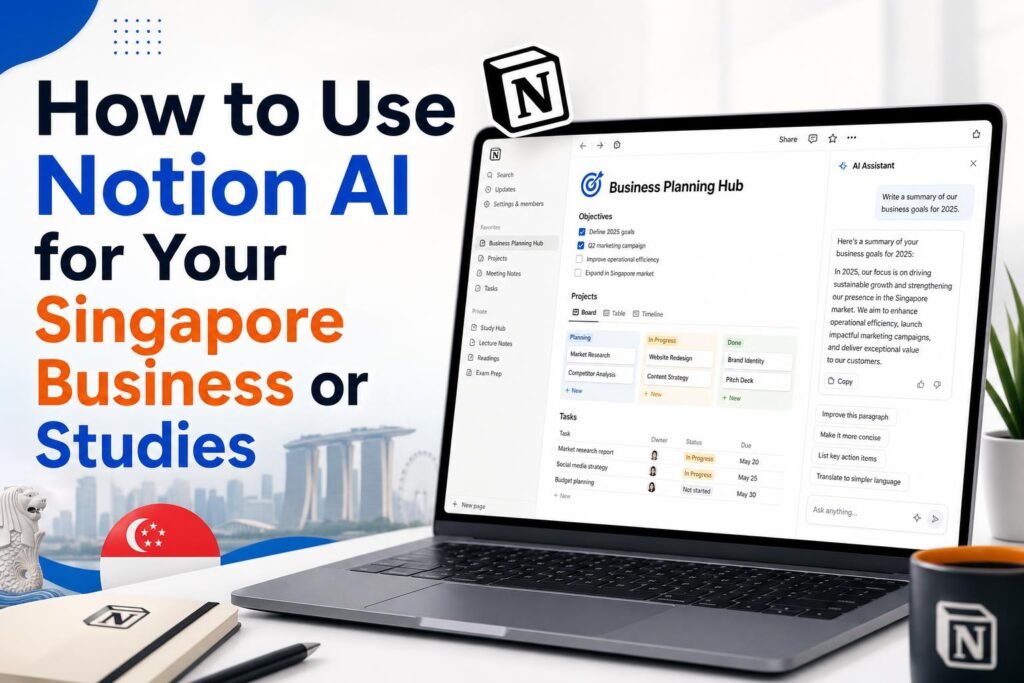
Notion is a productivity and knowledge management application that addresses this problem by bringing your notes, documents, databases, and project management into one organised, searchable workspace. The addition of Notion AI turns this workspace into something more powerful: an AI assistant that knows all your information and can help you use it.

What Notion AI Actually Does
Notion AI is different from ChatGPT in one fundamental way: it has access to everything already stored in your Notion workspace. When you ask Notion AI a question, it can search across all your notes, documents, and databases to find relevant information and synthesise an answer. When you ask it to draft a document, it can draw on your existing content rather than generating from scratch based only on your prompt.
The core Notion AI capabilities: writing assistance for any document in your workspace, summarisation of long notes and meeting records, question answering based on your workspace content, translation, tone adjustment, and the ability to generate structured content like tables, action item lists, and outlines.
Setting Up Notion for Singapore Business Use
A well-organised Notion workspace for a Singapore SME or professional typically includes several connected databases and sections. Here is a recommended starting structure:
Client Database: A database where each client has a page. Each client page contains contact information, project history, key stakeholders, meeting notes, and any client-specific documents. This becomes the single source of truth for everything related to each client relationship, accessible from anywhere.
Project Tracker: A database where each project has a page with status, deadlines, deliverables, team members, and progress notes. Link project pages to the relevant client page so you can see all projects associated with each client.
Meeting Notes: A section or database where every meeting gets its own page with date, attendees, agenda, discussion notes, and action items. Using a consistent template for meeting notes makes the AI’s ability to search and summarise your meeting history much more powerful.
Knowledge Base: Standard operating procedures, process documentation, product or service information, and company policies. This is where institutional knowledge lives rather than in someone’s head or in an email thread from two years ago.
Weekly Review: A recurring template for your end-of-week review capturing what was accomplished, what is still in progress, key learnings, and priorities for the coming week.

How to Use Notion AI for Business Tasks
Summarising meeting notes: After any important meeting, paste your raw notes into a Notion page and ask the AI to summarise. Prompt: Summarise these meeting notes into: 1) Key decisions made, 2) Action items with the name of the person responsible for each, 3) Open questions that need follow-up, 4) Next meeting date if confirmed. This turns messy meeting notes into a clean, actionable record in about 30 seconds.
Preparing for client meetings: Before an important client meeting, open the client’s Notion page and ask the AI: Based on the history in this client’s notes, what were the main issues we discussed in the last three meetings and what did we commit to delivering? This gives you an instant briefing without reading through pages of previous meeting notes.
Drafting SOPs and process documents: Ask Notion AI to help you write standard operating procedures. Prompt: Based on the bullet points I have listed below, write a formal standard operating procedure for [process name]. Include the purpose, scope, step-by-step instructions, who is responsible for each step, and what to do if something goes wrong. [paste your bullet points]
Generating weekly status reports: At the end of each week, ask Notion AI to compile a status report: Looking at the project pages and this week’s meeting notes, write a weekly status report summarising: projects completed or milestones reached this week, projects currently in progress with status, any issues or blockers, and planned work for next week. Format it for sharing with a business partner or senior manager.
Notion AI for Singapore Students
For Singapore students, Notion functions as a comprehensive study headquarters. All your notes across different subjects, research for essays and projects, revision schedules, and project work can live in one organised, searchable place. Notion AI makes this more powerful in several specific ways.
Summarising lecture notes: After each lecture or tutorial, ask Notion AI to summarise your notes: Summarise these lecture notes into the 5 most important concepts, with a one-paragraph explanation of each. This distillation process forces clarity about what actually matters from each session and creates revision-ready summaries.
Generating revision questions from your own notes: This is one of the most pedagogically effective uses of AI for students. Paste your notes on a topic and ask: Based on these notes, generate 15 practice exam questions at O Level standard. Include a mix of definition questions, application questions, and essay questions. Provide model answers for each. You are studying from your own material, not AI-generated content, which means the questions are directly relevant to what you have been taught.
Creating study guides and chapter summaries: For subjects with heavy content – History, Social Studies, Sciences – ask Notion AI to help you create concise chapter summaries: Create a summary of the main points in these notes on the causes of the Second World War. Format it as a structured outline with main points and sub-points. Keep it under 500 words. Use this alongside your own study rather than instead of it.
Notion AI Pricing for Singaporeans
Notion’s free plan includes most of the core Notion functionality with limited AI requests per month. For occasional use, the free plan is sufficient. For regular AI use in a business or intensive study context, the Plus plan at approximately $10 USD per month per user includes unlimited AI requests and is well worth the investment given the time it saves.
For Singapore teams, the Business plan at approximately $18 USD per user per month adds collaboration features, advanced permissions, and analytics that are valuable for teams using Notion as a shared knowledge base.
Getting Started: The First Week
The biggest barrier to Notion adoption is the initial setup. Many people open Notion, see the blank canvas, and are not sure where to start. Use this approach for your first week: Day 1, create a simple task list for this week. Day 2, take your meeting notes from one meeting in Notion rather than wherever you usually take them. Day 3, ask Notion AI to summarise those notes. Day 4, create a client or project page for your most active current project. Day 5, review what you have built and plan how to expand it next week. Building the habit gradually makes Notion adoption much more sustainable than trying to migrate everything at once.
Related reading on Agent Setup SG
- AI Tools for Singapore Students: Study Smarter and Get Ahead in 2026
- How to Use AI for Your Singapore Hawker Business (Practical Guide)
- How to Use Perplexity AI Instead of Google: The Complete Singapore Guide
FAQ: How to Use Notion AI for Your Singapore Business or Studies
Is this suitable for beginners in Singapore?
Yes. This guide is written for practical beginners and focuses on clear steps.
Do I need paid tools to start?
No. You can start with free options and upgrade only when results justify it.
How quickly can I implement this?
Most people can complete a first setup in under one hour, then improve it over time.
What should I track first?
Track one key outcome such as leads, response rate, time saved, or conversion.
What common mistake should I avoid?
Do not skip the basics. Clear setup and consistent usage matter more than fancy features.
Free resource for Singapore readers: Want to save time and money with AI starting today? Download the free Singapore AI Cheat Sheet, 10 prompts made for Singaporeans, plus a free 7-day email course delivered straight to your inbox. Grab it now at agentsetupsg.com/free instead.